Free
To try it and for small batches
$0 forever
- 10 prompts a day
- 1 device
- Every feature: images, videos, text, Excel import, auto-download
 RoAuto Dola
Tiếng Việt
RoAuto Dola
Tiếng Việt
Queue your prompts and reference images, press Run all, and RoAuto Dola sends them one after another in your own Dola session, then saves every image, video and answer to a folder.
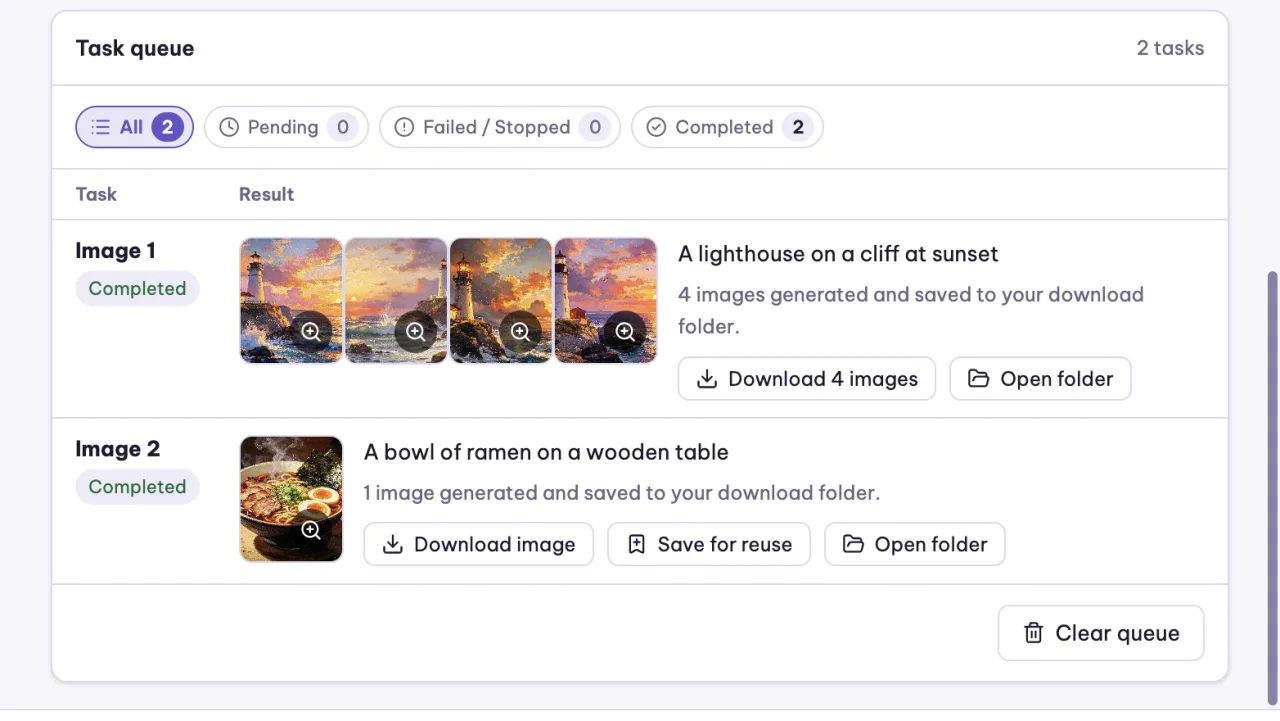
Images, videos and chat answers from one queue.
Prompts only, one set of reference images per prompt, or one model photo with many outfits. Pick the ratio, model and style once for the whole queue.

Send a list of questions to Dola's chat, each in a new chat or all in one chat in order. Every answer is saved as a Markdown file as it arrives.

4 to 10 seconds, six frame shapes, from a prompt alone or with reference images.
Up to 200 tasks. Pick the sheet and columns; every row is checked before it is added.
Pause between tasks, put failed ones back, or run only tasks 10 to 50 of a long queue.
English, Vietnamese, Spanish, Portuguese, Chinese, Russian and Turkish. Light and dark theme.
You need your own Dola account. Images, videos and answers are made by your Dola account, and Dola's own daily limits still apply (a free Dola account makes about 4 videos a day). RoAuto Dola does not generate anything itself: it operates the Dola website you are signed in to, the way you would by hand.
Pro is a one-time pass, not a subscription: nothing renews automatically.
To try it and for small batches
$0 forever
For regular work
$9.99 for 3 months
$3.33 a month
For one big project
$3.99 for 1 month
You buy Pro inside the extension: open the panel, choose a plan and a payment method. Pro turns on for the email you signed in with. RoAuto Dola Pro is separate from RoAuto Flow Pro.
Secure checkout by Paddle. Pro turns on by itself, usually within a minute. Taxes included.
Scan the QR in any Vietnamese banking app. Pro turns on by itself, usually in 1–3 minutes.
Send from Binance (free) or a TRC20 wallet. Checked by hand, so it can take a few hours.
Card prices are higher than bank transfer and USDT because they include payment processing fees and any sales tax or VAT. Card payments are processed by Paddle.com as the merchant of record. You can ask for a full refund within 14 days of your first Pro payment; see the refund policy. A prompt that fails because of Dola or the extension is not counted.
No. RoAuto Dola is an independent tool and is not affiliated with, endorsed by or sponsored by Dola or its owner. It works in the Dola website you already use.
Yes. Every image, video and answer is made by your own Dola account, so Dola's daily limits still apply. The queue stops when Dola says a limit is reached.
You sign in with the same email, but each extension has its own plan: RoAuto Flow Pro does not include RoAuto Dola, and the other way round.
Each task sent to Dola counts as one prompt toward your daily limit. A task that fails because of Dola or the extension is not counted.
Your account goes back to the Free plan. Nothing renews or charges you automatically. You can buy Pro again at any time, even before it ends: the new time is added after your current end date.
Only to Dola, the page you are using. The license server keeps your email, plan and how many prompts you ran each day, never the prompt text, your images or the answers. See the privacy policy.
Yes, a full refund within 14 days of your first Pro payment. See the refund policy.
Sign in with the same email; each extension has its own plan.
Install the free version, queue a few prompts and see the results land in your folder.
Add to Chrome – it's free